
Connect Every Part of Your Business.
We build ERP and MRP systems that bring sales, purchasing, production, inventory and logistics onto one shared database, so every department works from the same facts.
One system
Every department on the same database
When orders, stock and production share one source of truth, handoffs stop being a source of errors.
Shared database
One record of customers, items and orders
Sales
Quotations, orders and customer history
Purchasing
Suppliers, purchase orders and costs
Production
Production orders, BOM and planning
Inventory
Stock levels, items and warehouses
Logistics
Packing lists, shipments and delivery
Finance
Invoices, payments and balances
Customers & suppliers
Contacts, leads and relationships
Management
Reports and live operational numbers
Capabilities
What an ERP or MRP system from us covers
Modules are chosen and built for how you operate, not switched on from a catalog.
- Production planning and manufacturing management
- Plan what to build, with which materials, and when.
- Inventory tracking and warehouse management
- Know what is in stock, where it is and what is reserved.
- Purchasing and supplier management
- Order from suppliers based on real demand and track invoices.
- Sales and order management
- From quotation to confirmed order to invoice in one flow.
- Order processing and logistics
- Packing lists, shipments and delivery information that stay in sync.
- Reporting and analytics
- Live numbers instead of reports assembled by hand.
Where companies get stuck
Why teams outgrow spreadsheets and disconnected tools
Departments work from different numbers
Sales promises what production cannot deliver, because stock and capacity live in separate files.
Data is entered more than once
An order is typed into the shop, again into accounting, and again into the warehouse list.
Planning relies on guesswork
Without reliable demand and stock data, purchasing and production plans are best guesses.
Project example
BLOOM Outdoor Möbel
A global MRP system for a home and garden company: more than 450 employees, showrooms in Germany, the UK, the UAE, Indonesia, Australia and New Zealand, and a project that has evolved over ten years.
The system covers the full flow, from leads and quotations through sales and purchase orders to production, shipments and invoices. It connects to Twilio, PayPal, Google Maps and email, and works with a multi-region e-commerce site so web orders reach production without retyping.
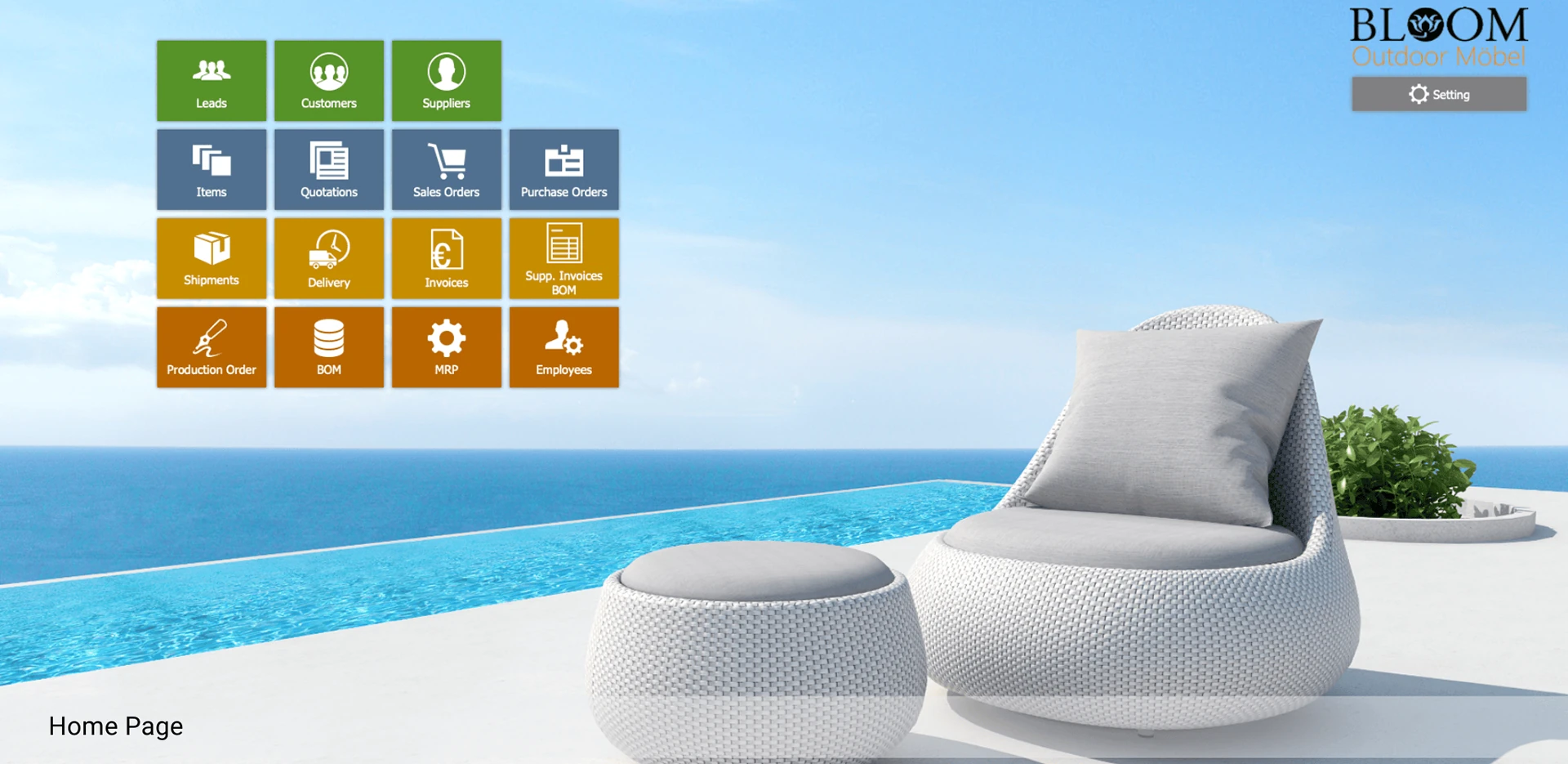
Read the BLOOM case studyModules on the BLOOM home screen
- Leads
- Customers
- Suppliers
- Items
- Quotations
- Sales Orders
- Purchase Orders
- Shipments
- Delivery
- Invoices
- Supplier Invoices
- Production Orders
- BOM
- MRP
- Employees
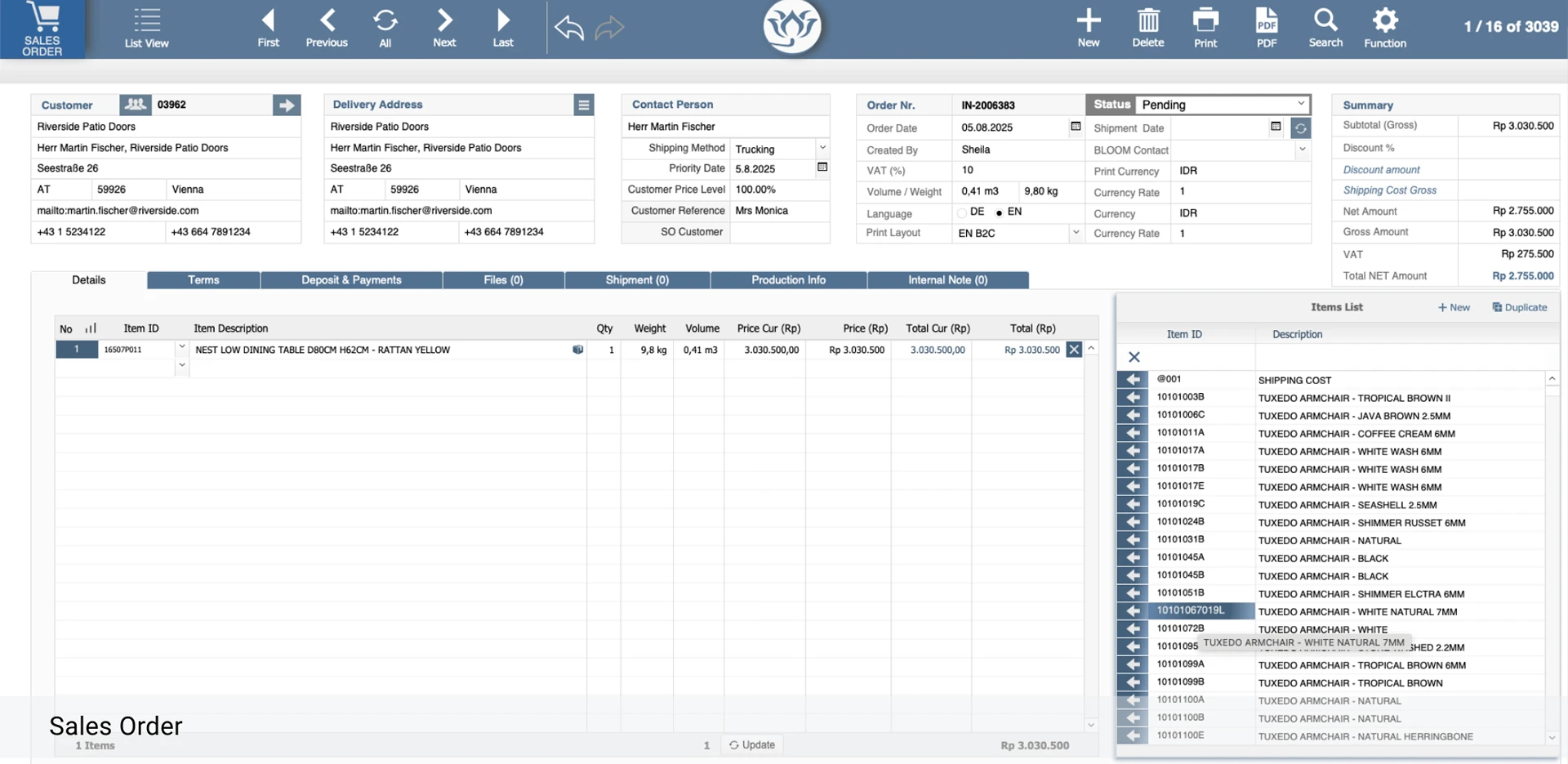
- BLOOM / Sales order
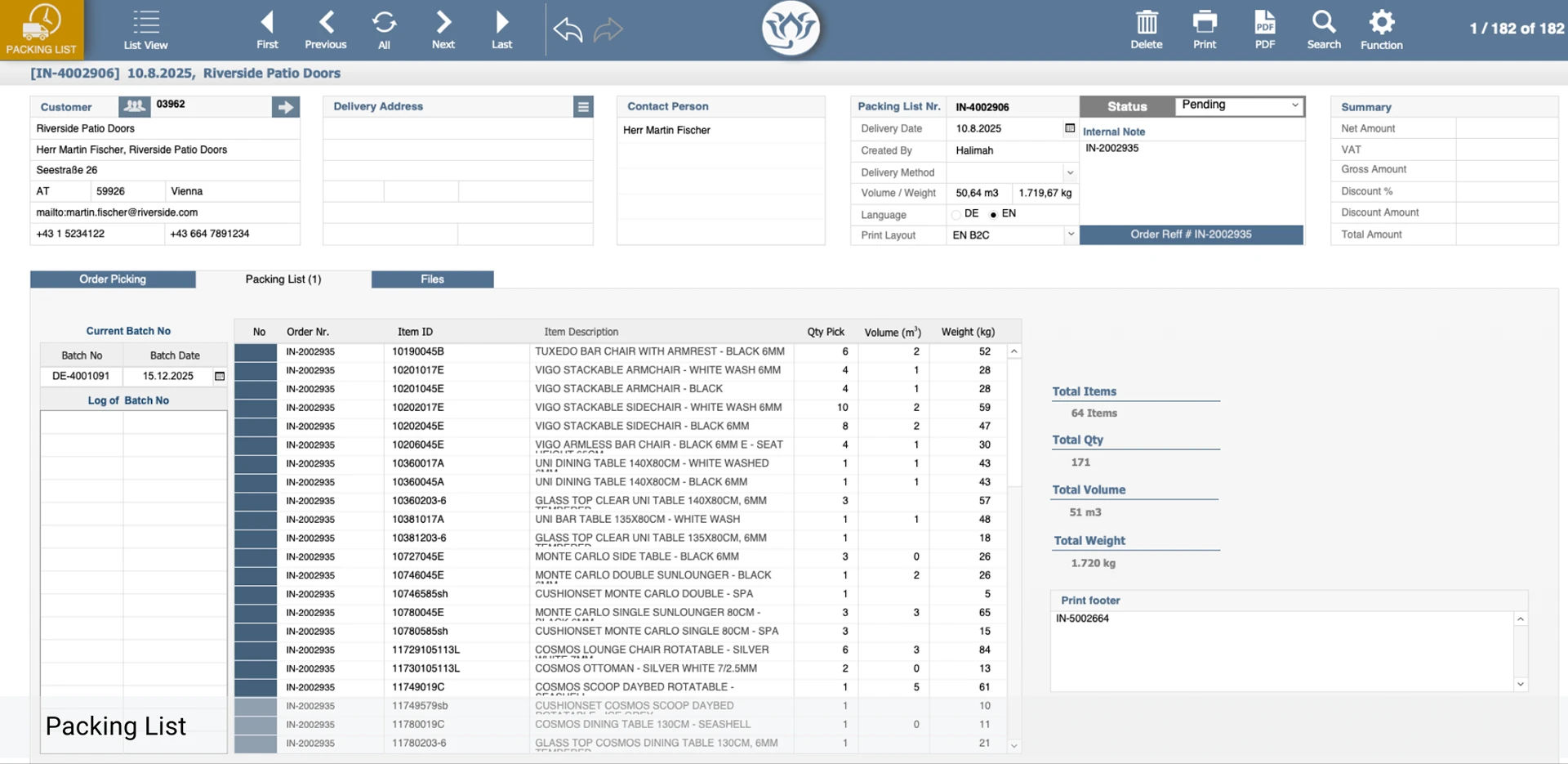
- BLOOM / Packing list
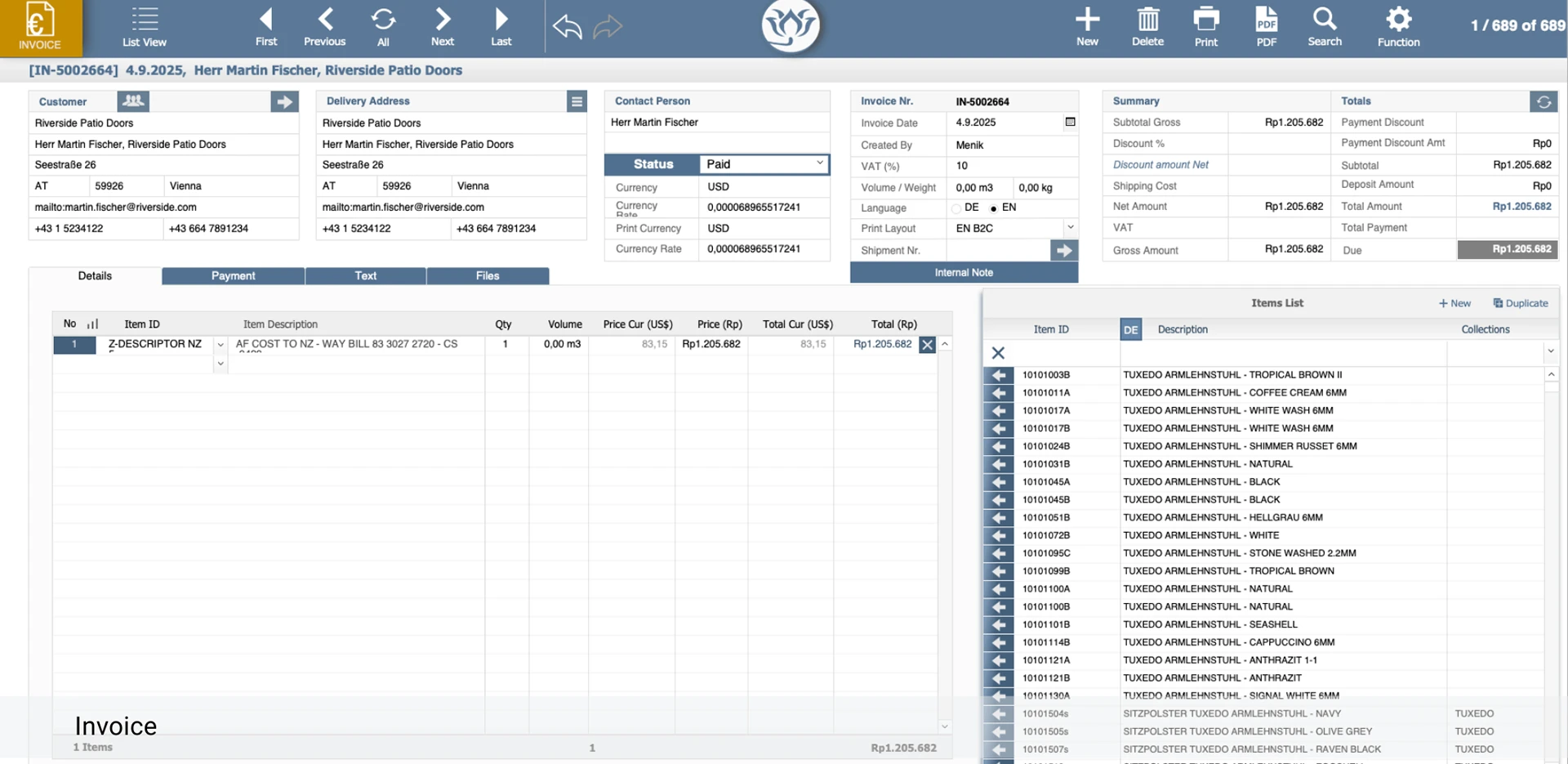
- BLOOM / Invoice
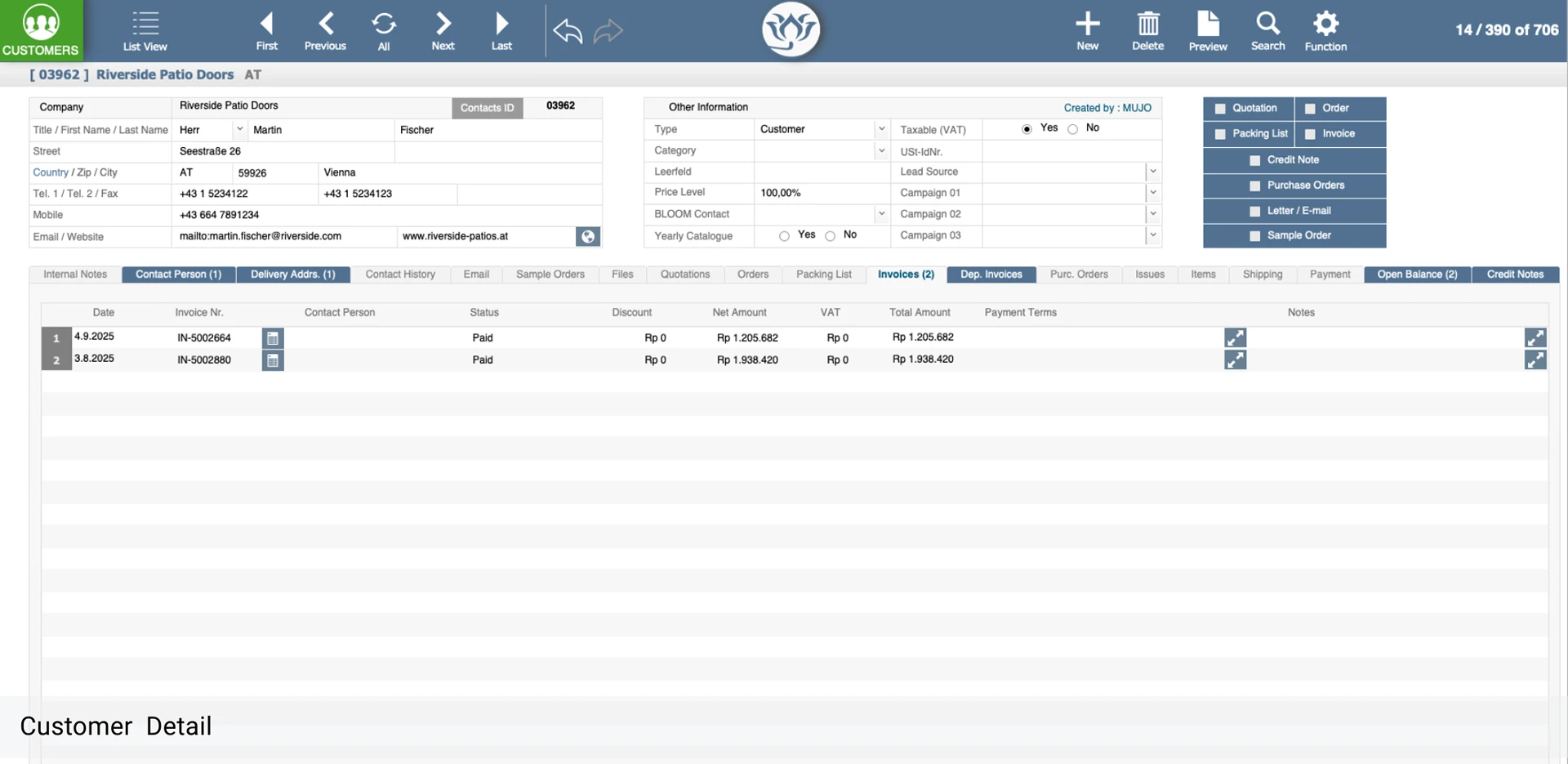
- BLOOM / Customer record
Our approach
Built in stages, so the business keeps running
Map the flow of an order
From first enquiry to delivery and payment, we document how it works today.
Agree the shared data
One definition of customers, items and orders that every department uses.
Build module by module
We start with the most painful area and connect the others in stages.
Migrate and train
Existing data is moved over and your team is trained on real workflows.
Keep evolving
The system grows with new products, markets and integrations.
Looking for a broader view of what we do? See all services
FAQ
ERP and MRP questions, answered
What is the difference between ERP and MRP?
MRP (material requirements planning) focuses on what to produce, what materials are needed and when. ERP is broader and also covers sales, finance, customers and other business functions. Many of our systems combine both on one shared database.
Why build a custom system instead of buying a standard ERP?
Standard ERP products are built for a generic company. If your production, pricing or logistics work differently, you end up paying for customization or working around the product. A custom system starts from your actual flow.
Can the system connect to our website, payments and email?
Yes. Our ERP and MRP systems are regularly integrated with e-commerce, payment services, mapping, messaging and email, so data flows without retyping.
Do we have to replace everything at once?
No. We can start with the area that hurts most, such as sales orders or stock, and add modules over time. The BLOOM system, for example, grew module by module over many years.
Can it support several countries or locations?
Yes. Systems can handle multiple languages, currencies and locations. BLOOM operates with showrooms in several countries and production in another.
Give every department the same view of the business.
Tell us how an order moves through your company today. We will outline what a connected system could look like.