Path 1
Complete Migration
Replace the whole application in one planned program, then switch over.
- 1Audit
- 2Rebuild
- 3Data Migration
- 4Testing
- 5Launch
- FileMaker Retirement

FileMaker to web modernization
The speed, flexibility, and simplicity that once made FileMaker exceptional are no longer exclusive to it. Keep your data and business logic, and move to independent web software.

Who you will work with
Nihad Suljic founded FM Solutions and leads every FileMaker migration review. We replaced our own FileMaker system with Satnica, so we know both sides of this decision first-hand.
Opens in a new tab. Check the figures on the live profile.
Why businesses move
FileMaker is still a capable platform, and well-built systems avoid many problems. These are the reasons we hear most often when a system outgrows it.
Customers, partners, and staff on any device can use one browser-based application.
You own the code and the database, and you are not tied to a single vendor’s platform and licensing.
Standard web tooling for charts, APIs, and automation, with documented trade-offs for each.
Developer-led, AI-assisted engineering shortens analysis and build work without removing review.
Two paths. One destination.
Both strategies end with an independent modern web application and FileMaker retired. We do not promote permanent coexistence.
Path 1
Replace the whole application in one planned program, then switch over.
Path 2
Replace module by module while operations continue, ending with retirement.
100% FileMaker Independence
During a phased migration FileMaker can remain temporarily, but it is not the intended permanent architecture.
Free consulting
Describe your system in a short form. We review it and reply by email with an honest view of which path fits, before any commitment to a project.
AI-assisted discovery
We use AI to read the structure of your solution so the first conversation is about your actual tables, scripts, and layouts. Developers review every output and make every decision.
A completed replacement
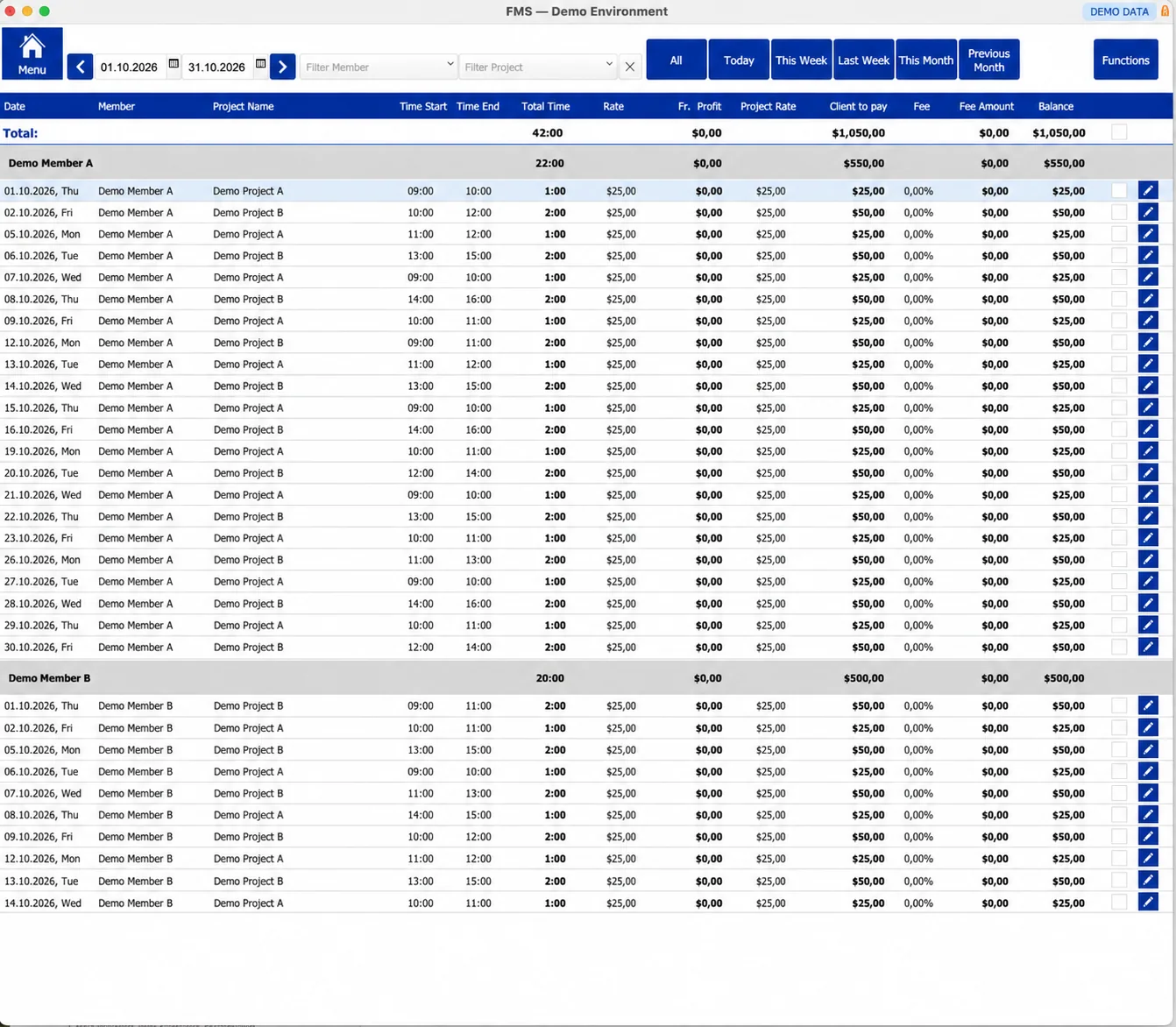
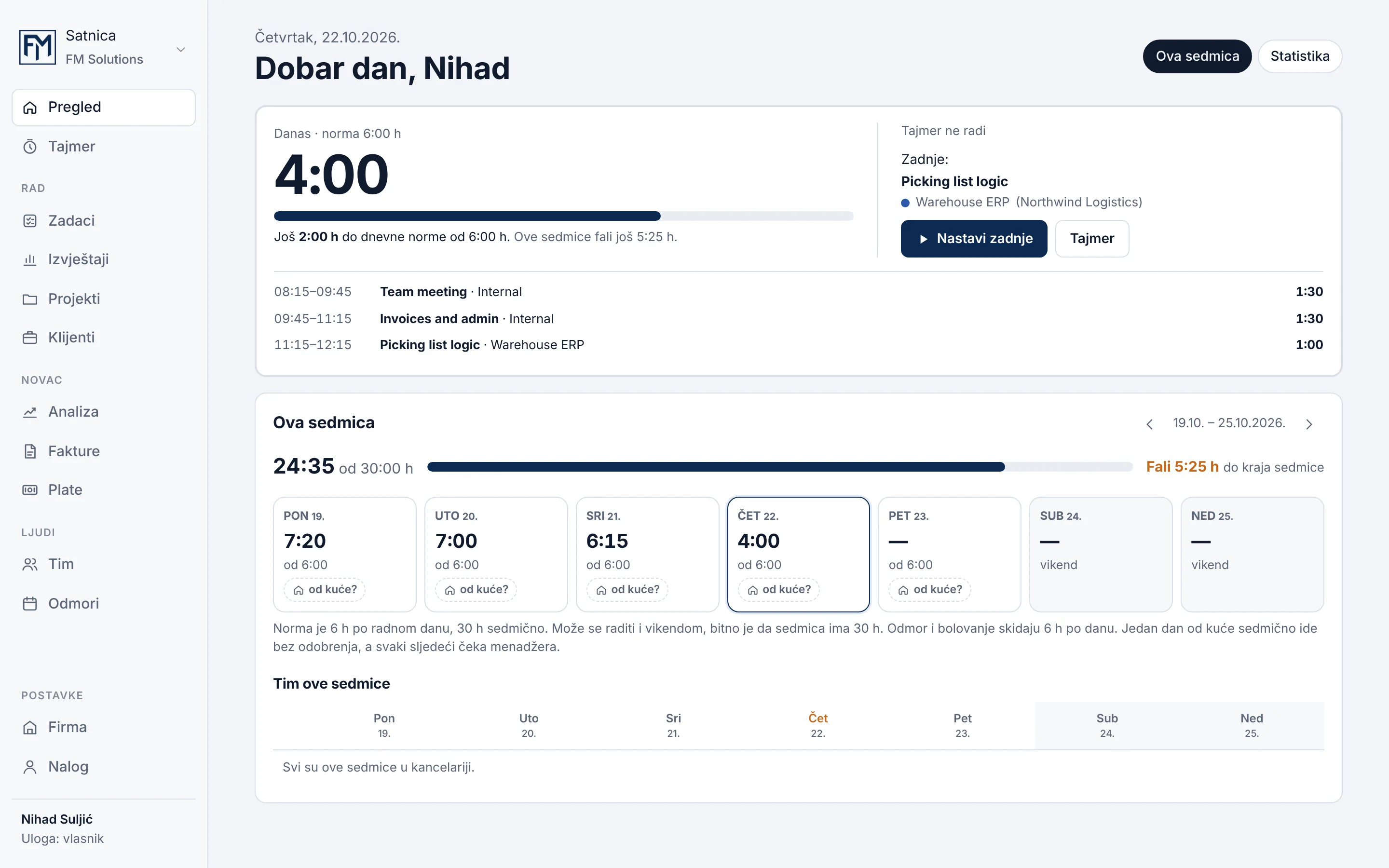
Real screens from the FileMaker system we built and the web application that replaced it. Drag the handle to compare.
We built the FileMaker system ourselves, so we knew the rules behind every screen before replacing it.
We rethought how each workflow should work in a browser instead of copying FileMaker layouts.
The processes the business depends on were identified first and carried over deliberately.
Plan your move
Each topic has its own page, so you can go as deep as you need before you decide.
Audit to FileMaker retirement, with the deliverable, your part, and the risks of every phase.
Explore the processEnter your own licensing, hosting, and migration figures and compare 3, 5, or 10 years.
Open the calculatorGuides and sourced articles on limits, reporting, security, and migration strategy.
Browse insightsFAQ
Feasibility, cost, and timeline depend on your system, so every answer points back to an initial audit.
In many cases, yes. A complete replacement rebuilds the workflows, data model, and reports as an independent web application and then retires FileMaker. How feasible and how large the project is depends on your system size, integrations, and business rules, which we assess in an audit before proposing a plan.
That is the main purpose of the phased approach: modules move one at a time while the rest of the system keeps running, and data is synchronized and validated between them. A complete replacement is usually built in parallel and switched over on an agreed date after testing. The cutover plan depends on your operations and is agreed in advance.
Data migration is planned and validated as part of the project. We analyze your data structures, load records into the new database, and reconcile the results against the source before go-live. Your FileMaker data stays in place until you decide to retire it. Legacy data often contains inconsistencies, so some cleanup decisions may be needed along the way.
Scripts are not converted automatically. We analyze what each script does for the business, then re-implement the logic as application code, database rules, or background jobs, or retire it if it no longer serves a purpose. Complex scripts need more analysis and testing, which is reflected in the plan.
We translate the relationship graph into an explicit relational schema with defined keys and constraints, and document the business rules found in calculations, validations, and scripts. Those rules are implemented on the server, with tests for the critical ones. Portals typically become data tables with filtering, sorting, and pagination.
Discover how modern web technologies and AI-assisted development can help you replace legacy FileMaker applications with software built for the next stage of your business.
Start Your FileMaker Exit StrategyFree consulting
Get 3 hours of free consulting to explore how your business can move beyond FileMaker.